I have spent the last few years trying AI tools, and I know how quickly the choice can become confusing. For older adults, the best tool is rarely the one with the longest feature list. It is the one that is easy to use, solves a real problem, and does not make the person feel dependent on a complicated screen.
This guide looks at practical options for reminders, communication, safety, health tracking, and everyday independence. Features and availability can vary by country and product model, so check the manufacturer's current information before buying anything.
AI voice assistants for seniors
Amazon Echo with Alexa

An Echo can be useful when touching a small screen is frustrating. A senior can ask for the weather, set a timer, create a reminder, make a call, or control compatible lights without opening an app. Echo Show models add a larger display for video calls, photos, calendars, and visual confirmation.
Alexa reminders are helpful for routines, including medication reminders. They are still reminders, not proof that medicine was taken or a replacement for a doctor's advice or a caregiver's plan.
Google Nest Hub
Google Nest Hub gives people both voice control and a touchscreen. For more ideas, see our guide to AI tools for home and smart living. That combination can work well for someone who wants to ask a question but still see the answer, a calendar, a recipe, or a video call on a larger display. Before choosing it, check which health and sleep features are available in your region and on the specific model.
Safety and health monitoring
Apple Watch fall detection


Apple Watch can detect some hard falls and may contact emergency services if the wearer remains immobile. It can also share information with emergency contacts when the feature is set up. That can be reassuring for someone who lives alone, but it is not a guarantee that every fall will be detected. The watch must also be worn, charged, and configured correctly.
Apple explains the current setup and supported models in its Fall Detection support guide. Read that before relying on the feature.
Personal emergency response systems
Medical alert devices and personal emergency response systems usually focus on one job: helping someone call for assistance. Some models add automatic fall detection, GPS, caregiver notifications, or a monitoring centre. The right choice depends on whether the person needs coverage only at home or also outside, and whether they are comfortable wearing a pendant, watch, or other device.
Remote patient monitoring
Our guide to AI in healthcare covers the wider role of monitoring tools. Remote monitoring can send readings such as blood pressure, weight, oxygen levels, or glucose data to a healthcare team. It may reduce unnecessary trips for some patients, but the value depends on the condition, the provider, and how quickly someone responds to an alert. It should be arranged with a healthcare professional rather than treated as a stand-alone diagnosis tool.
Medication reminders and dispensers
Hero smart dispenser
Hero is designed for people taking several medicines on a schedule. It can organise doses and send reminders through a companion system. That may help a family member keep track of missed doses and refills. Families should still confirm the device supports the person's medication routine and ask a pharmacist about any special handling requirements.
Simple voice reminders
Some people do not need an automated dispenser. A recurring voice reminder may be enough for a familiar routine. It is a small assist, not a safety plan. If a missed dose could be dangerous, involve a caregiver or clinician and use a system that provides the level of oversight the situation requires.
Cognitive activities and companionship
Lumosity
Lumosity offers short games aimed at memory, attention, and problem-solving. These activities can be enjoyable and give someone a reason to use a tablet or phone regularly. They should be treated as games and mental exercise, not as a medical test or a way to diagnose cognitive decline.
ElliQ AI companion
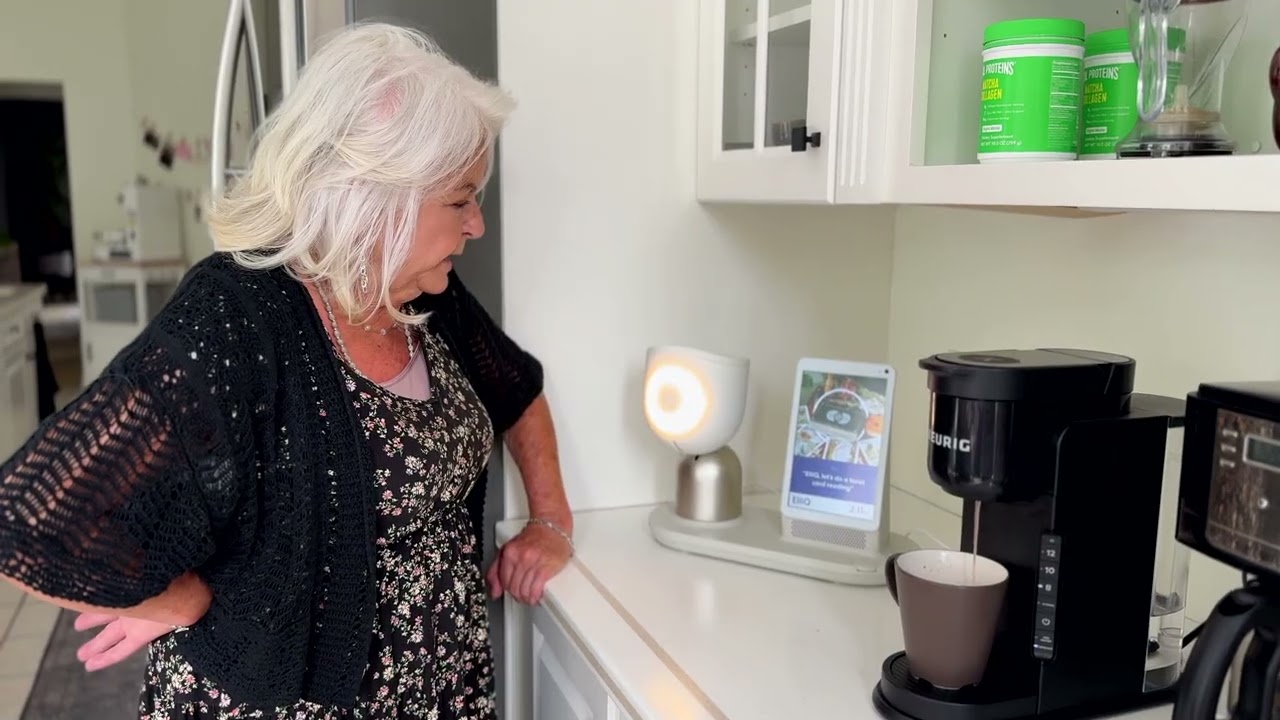
If you are also comparing wellbeing tools, see our guide to AI apps for mental health and wellness. ElliQ is built for older adults and is more proactive than a normal voice assistant. It can start conversations, suggest activities, support video calls, and provide reminders. That approach may appeal to someone who wants company as well as practical help. It is not a substitute for family, friends, or professional care, but it can give a person another way to stay engaged during the day.
Communication and accessibility
GrandPad
GrandPad takes a simpler approach to tablets. Family members can manage contacts and content, while the older adult sees a limited set of large, familiar options. This can remove much of the app-store and settings confusion found on a normal tablet. The trade-off is less flexibility, so compare the subscription and features with the person's actual needs.
Built-in phone accessibility tools
Modern iPhones and Android phones include features such as larger text, voice control, magnification, captions, and screen readers. These tools are often overlooked because they are already on the phone. Before buying a new device, try changing the accessibility settings on the one the person already knows.
Transport and navigation
Families may also find our guide to AI tools for families useful when setting up shared support. Ride-sharing services can help someone who no longer drives reach appointments, shops, or social activities. Some services offer assisted rides or allow a family member to request and track a trip. Check the options available in your area, and make sure the person knows how to contact the driver or family member if plans change.
How to choose the right tool
Start with one problem. Is the person forgetting appointments, struggling to call family, worried about falling, or feeling isolated? Pick the simplest tool that addresses that problem. Set it up together, practise the important actions, and review privacy and caregiver settings. A device that stays in a drawer is not useful, no matter how impressive its specifications look.
Frequently asked questions
What is the best AI tool for a senior?
It depends on the need. A voice assistant may help with reminders and calls. A smartwatch may help with emergency features. A simplified tablet may be better for communication. Start with the person's daily routine rather than the product's marketing page.
Can AI help someone live independently?
It can support reminders, communication, navigation, and emergency access. It should support human care, not replace it.
Are AI health tools a substitute for a doctor?
No. They can collect information or send alerts, but a qualified healthcare professional should interpret symptoms and make medical decisions.
What should families check before buying?
Check ease of use, battery life, internet and phone requirements, emergency coverage in your location, privacy controls, subscription costs, and what happens when an alert is triggered. Let the older adult take part in the decision and setup.
Comments
Post a Comment